
Using Elgato Stream Deck with Cue Pro
Benefits of a Hardware Remote
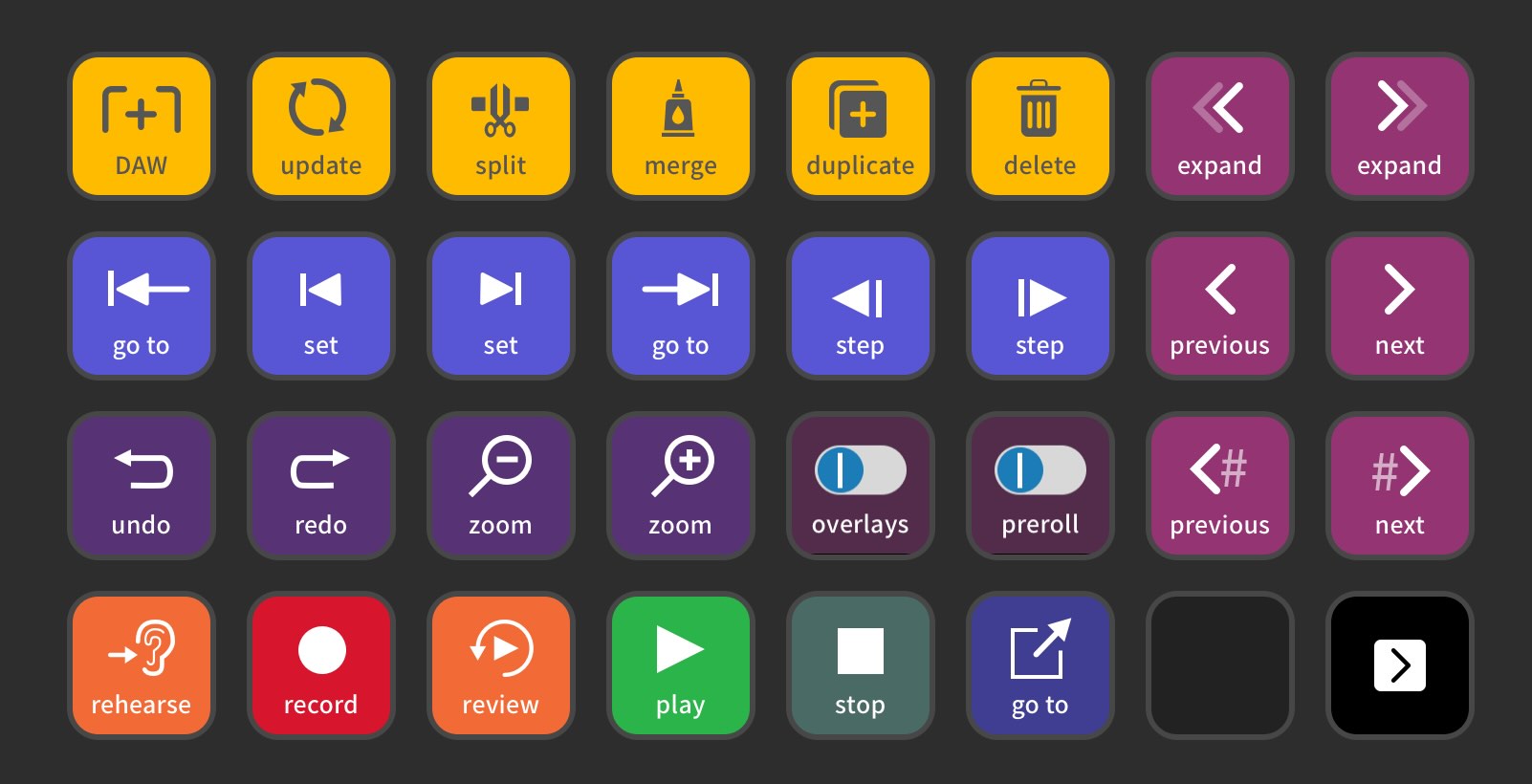
Cue Pro offers a wide selection of keyboard shortcuts for efficient operation. Many of these are system-wide, meaning they can be triggered even when Cue Pro is not the foreground app. A dedicated hardware remote with dynamically labelled keys - separate from the computer keyboard - makes these shortcuts easier to learn for new users and helps experienced users perform complex tasks more quickly.
The Stream Deck range of controllers by Elgato provides an open platform with customisable buttons, making it well suited to Cue Pro workflows. A free plug-in for Cue Pro Edit and Cue Pro Studio allows full customisation of keys and their behaviour.
Device Versions
The Stream Deck comes in three versions:
Stream Deck Mini - 6 buttons
Stream Deck MK.2 - 15 buttons
Stream Deck XL - 32 buttons
For use with Cue Pro Studio in a recording scenario, the Stream Deck XL is recommended since it provides enough space for all the most commonly used actions. Depending on personal preference, the Stream Deck MK.2 may also be sufficient - for example, when logging ADR lines, the number of commonly used actions is lower compared to a recording session.
How Stream Deck Works
The Stream Deck platform allows actions to be assigned to each device button. When the button is pressed, the assigned action is triggered. Developers provide plug-ins that add items to the list of available actions.
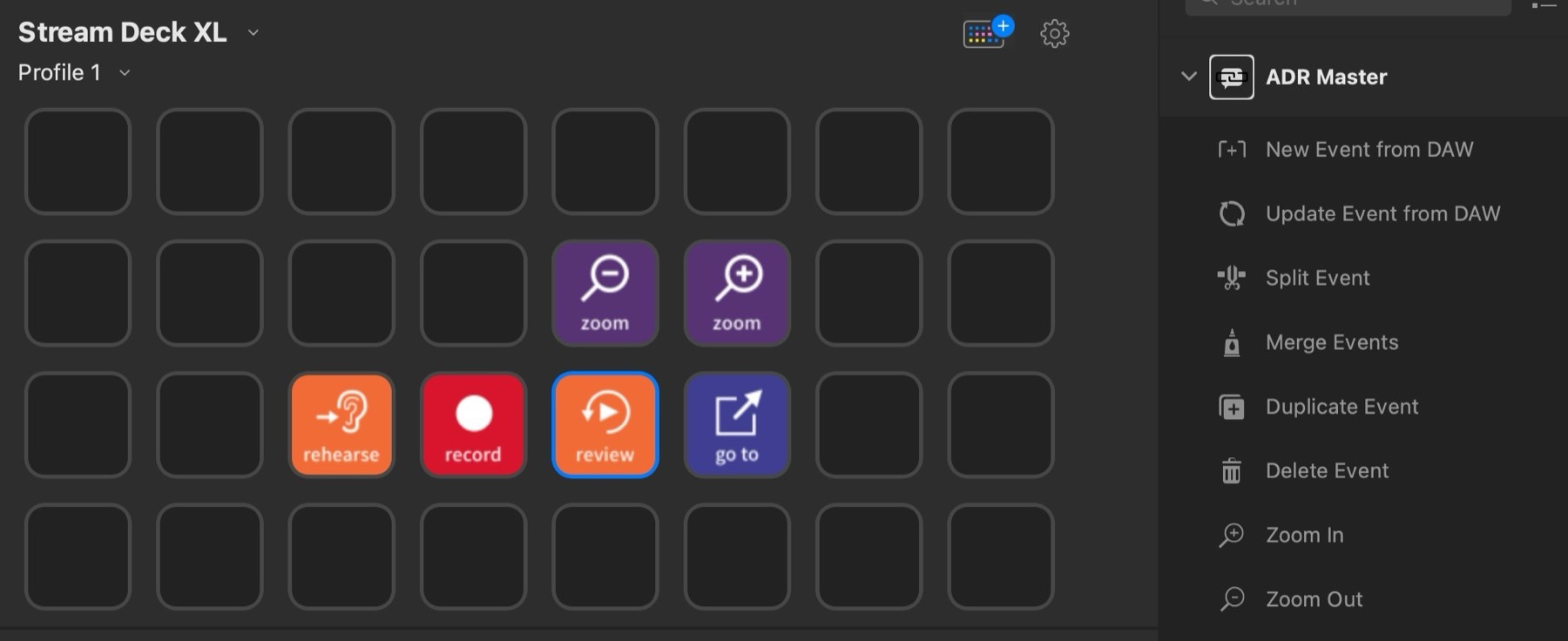
Using the Stream Deck configuration application (macOS and Windows), actions are dragged from the action list onto buttons. The application includes predefined actions for common tasks such as triggering a hotkey or taking a screenshot.
Building a Profile
A set of buttons on the Stream Deck is called a profile. Different profiles can be created for different use cases - for example, recording, script import, or logging ADR. Special actions allow switching profiles directly from the device, which is useful for studios with changing operators. Stream Deck profiles can also be configured to control other applications such as Pro Tools.
Download
To get started, a Stream Deck plug-in and a set of profiles are available for download. The profiles can be customised to match personal preference using the Stream Deck configuration application.
Download Stream Deck resources
After downloading, unzip the files and double-click each profile to install it. Separate profiles for Stream Deck MK.2 and Stream Deck XL are provided.
A complete list of all shortcuts available in Cue Pro can be viewed in the Keyboard Shortcuts chapter.