
Cue Pro 26 is here
After our longest and most thorough beta cycle yet, Cue Pro 26 is officially released - and it's a big one! This release brings ADR Master 3 and Cue Pro 1 together into a single application with two tiers - Edit and Studio - and introduces a wide set of new features for ADR and dubbing workflows.
A Unified App
Cue Pro 26 is a comprehensive ADR cueing, localization, and recording application built for Pro Tools®-based post-production workflows. Building on the foundations of both ADR Master 3 and Cue Pro, this release unifies our product lines into a single, flexible solution that adapts to different working environments and production requirements.
Cue Pro 26 offers two operational modes:
- Integrated Mode draws overlays directly onto the Pro Tools® video window, with cue data stored live in the Cue Pro Connect plug-in. It's the simplest way to get started for studios already working within Pro Tools.
- Media Mode provides a standalone workflow with Cue Pro's own video engine, multiple video outputs, and dedicated project files, connecting to Pro Tools® via Satellite Link or MTC. Ideal for facilities that prefer dedicated media handling or need to work independently of Pro Tools.
Pick once on startup or switch at any time from preferences.
Two Product Tiers
Cue Pro 26 comes in two tiers:
- Cue Pro 26 Edit is the successor to Cue Pro 1 and ADR Master Editor, covering full ADR and dubbing prep workflows.
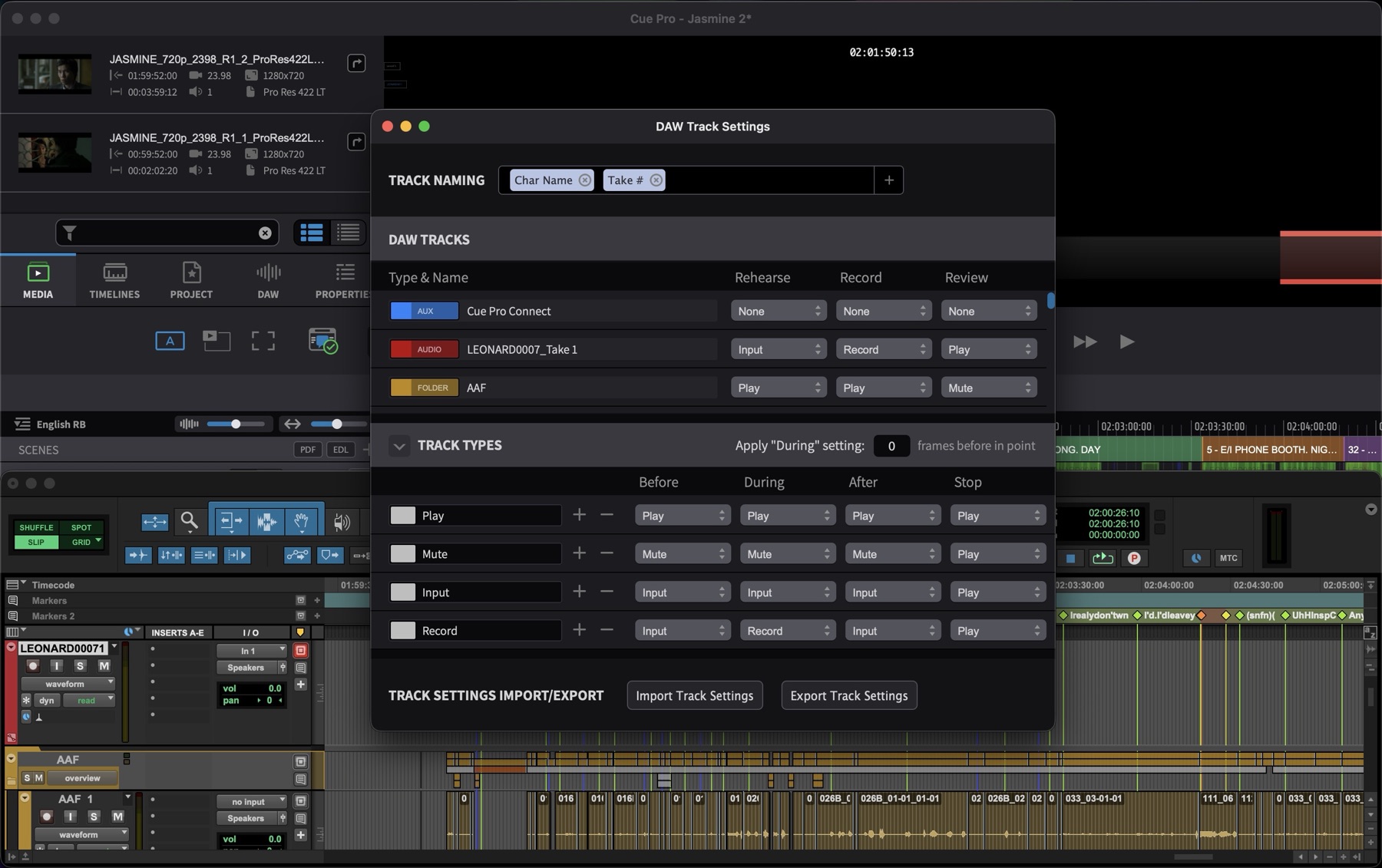
- Cue Pro 26 Studio adds ADR Master Studio's recording features directly into Integrated Mode. Open a Pro Tools session with cues already prepped and stored in the Cue Pro Connect plug-in, select a line, and record instantly with all the controls previously only available in ADR Master Studio - track renaming, Pro Tools track automation, and dedicated Rehearse / Record / Review modes.
Rhythmo Bande Overlays
Cue Pro 26 adds a new Rhythmo Bande overlay display mode with anchor editing for syllable-level timing. Place and edit anchors at word or syllable boundaries for precise text timing - scrub through them, split, move, or merge events while preserving anchors. A new smooth-rendering mode keeps the Rhythmo Bande fluid in Pro Tools and through the internal display or Blackmagic / AJA outputs in Media Mode.
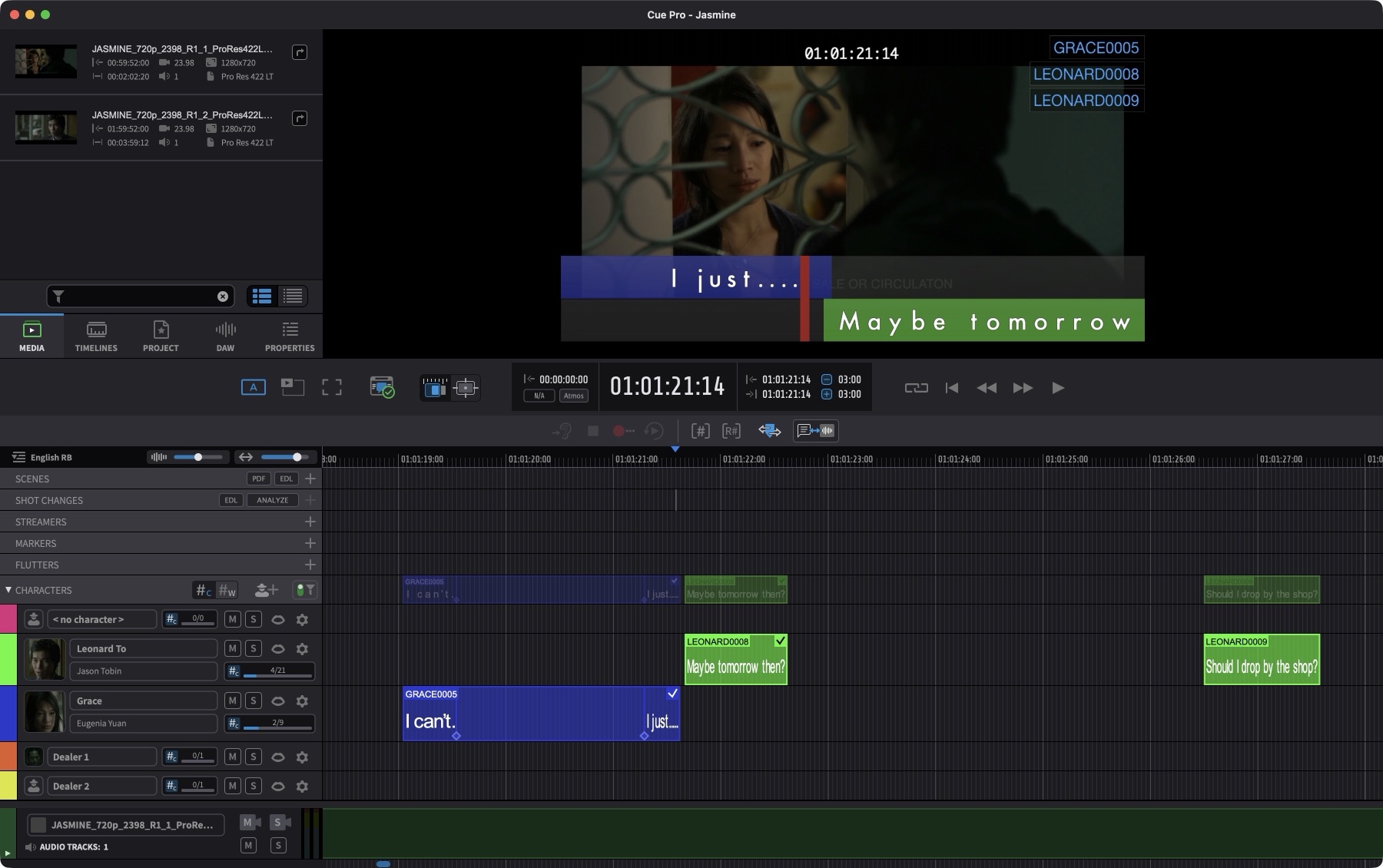
Anchors also fire secondary streamers in line-based mode, vastly simplifying the cueing process and giving the talent precise visual cues for each word or syllable during recording.
Event Tracks
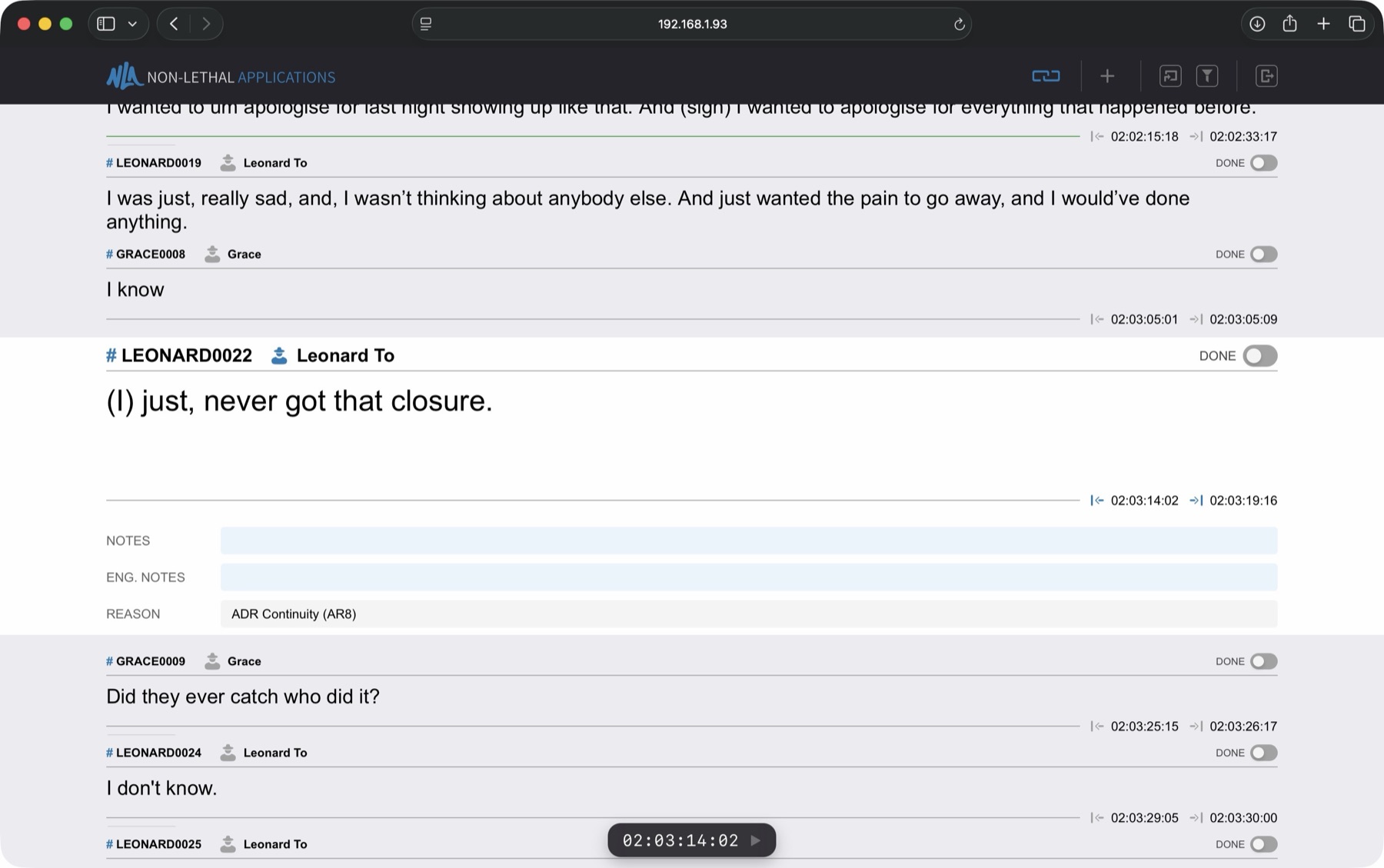
Event tracks now feature mute and solo per character, character thumbnails in each track header with hover previews, and a cue-or-word count with live progress per character. Track headers adapt to size breakpoints, keeping the layout readable on tight screens.
Scene Tracks
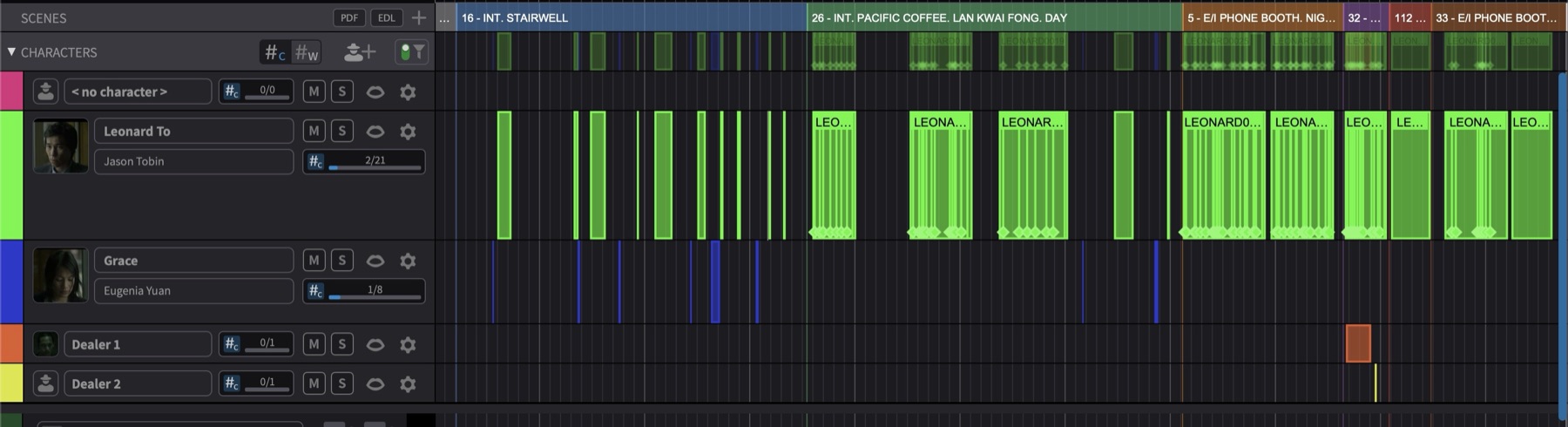
A new track type for organizing work by scene. Import an EDL and Cue Pro automatically converts edit points into scenes on the timeline, then pull in scene descriptions from a shooting script PDF. Scenes can also be imported from a Word round-trip document. Scene numbers and names appear per cue in the event list, and you can filter events by scene to focus on a single scene at a time. Once scenes are on the timeline, every cue automatically inherits its scene information - no need to tag cues individually. CSV and Excel exports now include scene data, and can be re-imported with scenes intact.
Shot Change Track
A dedicated shot change track, populated from a built-in video analysis engine for automatic shot change detection, or from EDL or TTAL imports.
Netflix TTAL 2.1
Full support for Netflix TTAL 2.1, including import, export, and syllable-level timing throughout the format.
Detection Symbols
A new detection lane for lip-sync detection symbols - Mouth Open, Mouth Closed, Labial, Rounded, and others - with full TTAL-compatible symbol types for Netflix workflows.
Extended DAW Control
A new DAW Settings window with dedicated stop-state handling and per-track behavior modes. Cue Pro can now automatically rename Pro Tools tracks using cue data - including Notes and Engineering Notes fields.
More Event Properties
New per-event properties with import and export support across our formats:
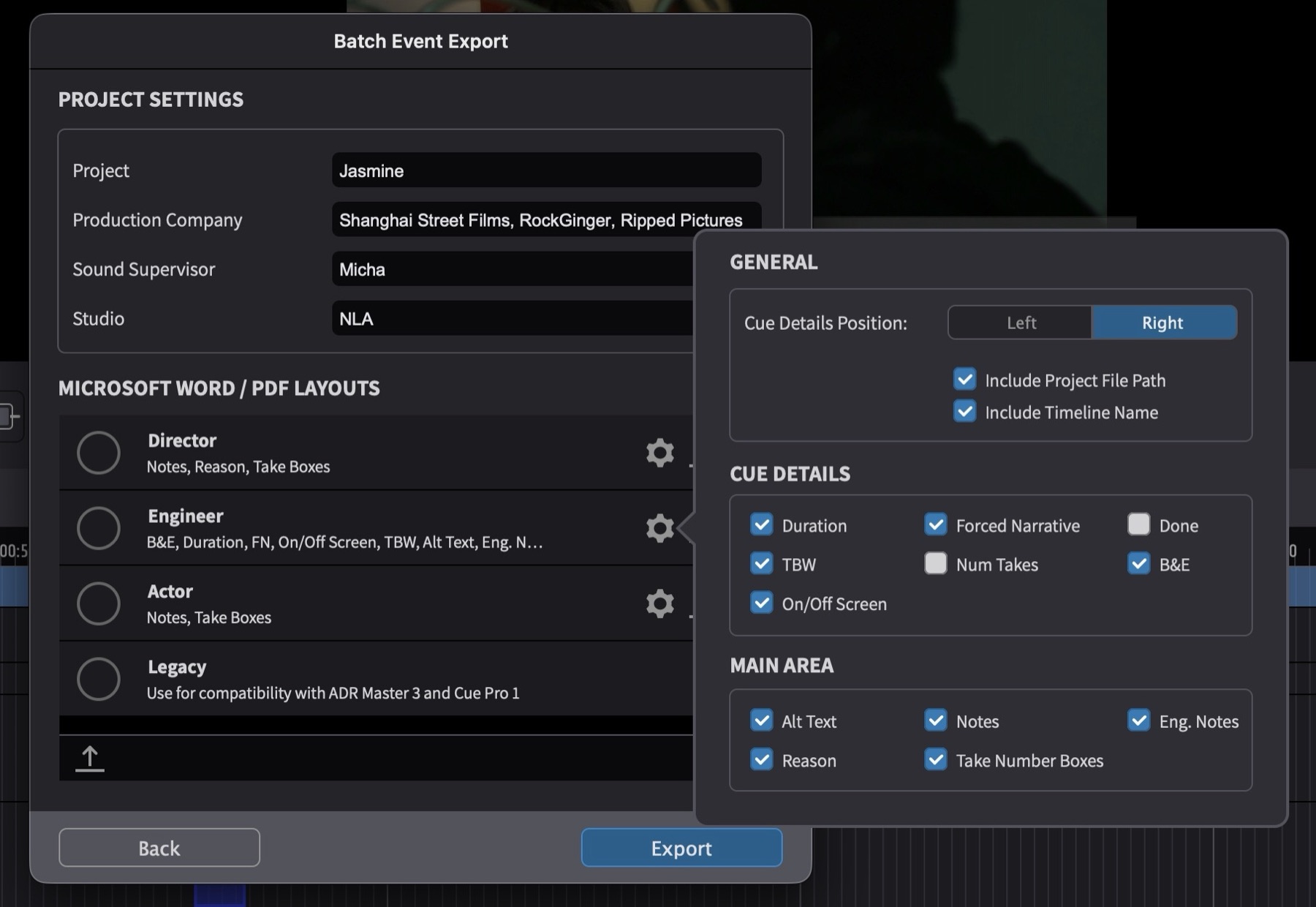
- Breaths & Efforts (B&E) - marks non-dialogue cues like breathing, reactions, and physical efforts that still need close sync but have no words
- On/Off Screen - denotes whether the character is visible on screen and needs tight lip-sync, off screen with looser sync, or a combination of both within the same cue
- TBW (To Be Written), which also auto-generates TBW-only cue sheets as sub-documents alongside your main exports
- Scene, a read-only field derived from the scene track - filter to see only events in a specific scene

Customizable Export Layouts
Define which fields appear in your PDF and Word exports via a new export layout system. CSV and Excel exports gain additional fields and re-import support.
Overlay Presets
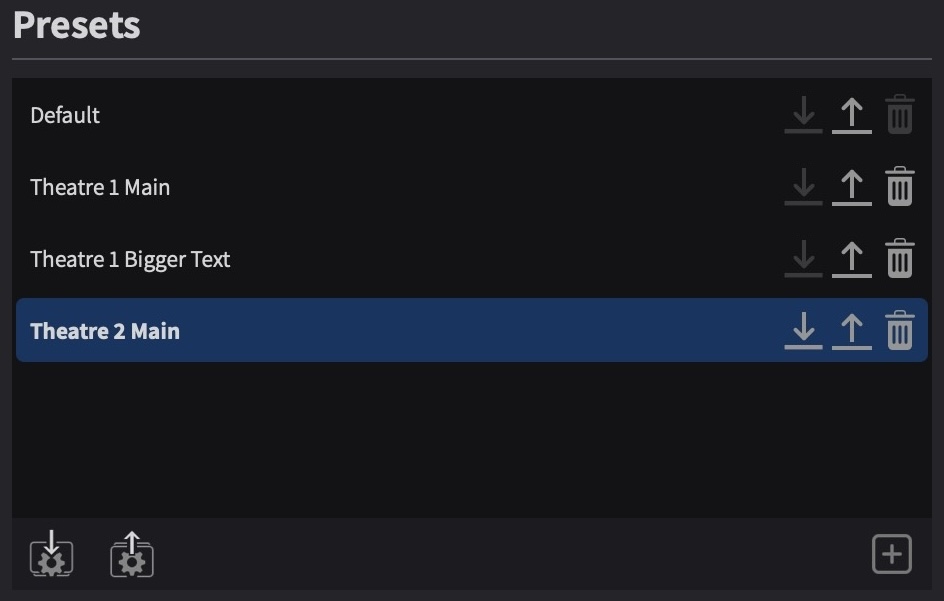
Overlay preferences are now easier to navigate, share, and switch between, with a new sidebar layout for organization. Instantly save or load your overlay setup as a preset, or export it to file and take it with you to any studio.
Transcription Match
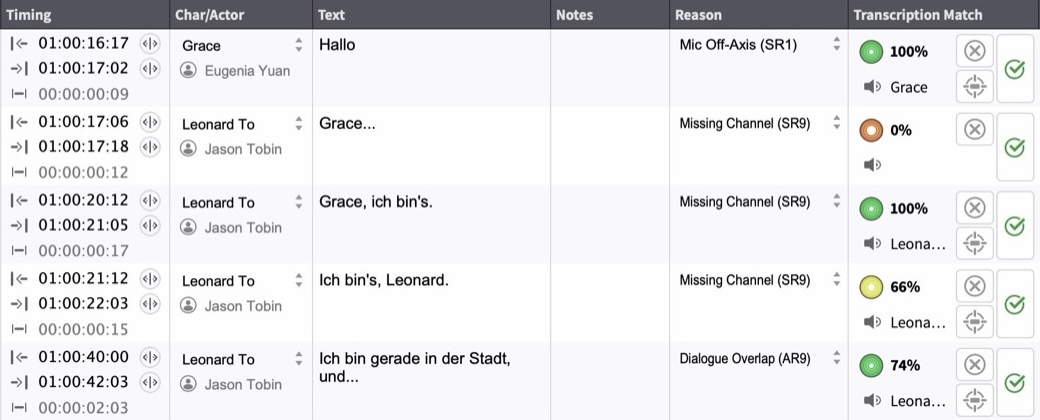
Transcription Match automatically compares your recorded dialogue against the cue text and scores each line with a confidence indicator. Review any lines that didn't reach 100%, listen back, and confirm or flag them for re-recording - working through the full list in a fraction of the time a manual As-Recorded script check would take.
Project & File Management
In Integrated Mode, your cue data lives inside the Pro Tools session and is backed up along with it. In Media Mode, Cue Pro keeps automatic backups of your project files in a dedicated folder, making it easy to recall an earlier version.
Translation
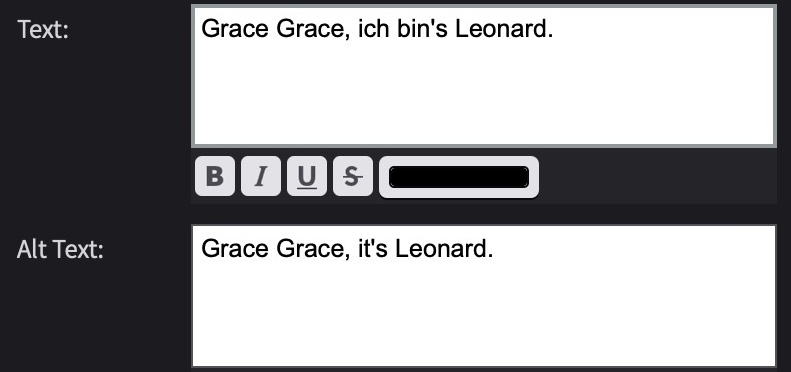
Built-in translation engine across 27 supported languages, running locally with no internet connection needed. Generate a rough translation as a starting point for the adaptor, with the original language always visible alongside for reference. Also useful for original-language work, keeping the shooting script line in the Alt Text field for quick comparison.
Transcription
Transcribe audio and automatically generate ADR cues from the result - each detected sentence in the selected range becomes a separate cue with in and out points and text already set. In Integrated Mode, Pro Tools' built-in transcription handles the analysis and even splits cues across character tracks by detected speaker. In Media Mode, Cue Pro runs its own transcription locally with no audio sent to any external service.
Memory Location Sync
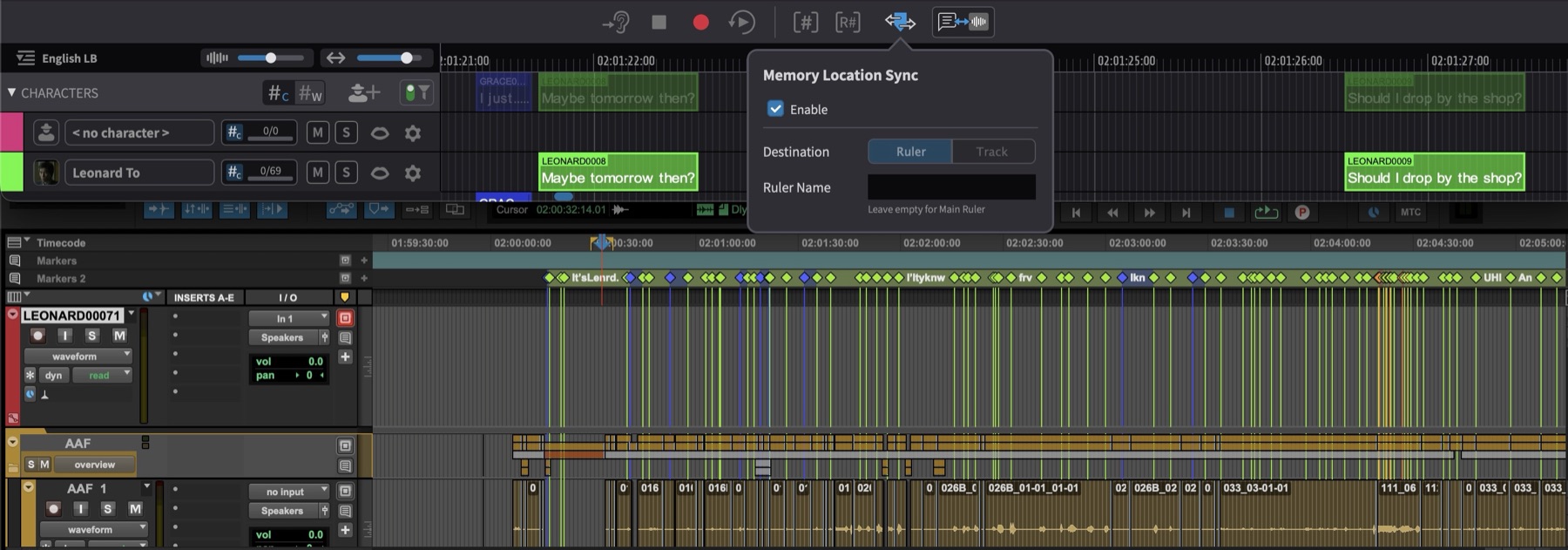
Show Cue Pro's event positions and text directly in a Pro Tools session - either on a ruler or on a track. Memory locations update automatically when an event changes in Cue Pro.
CueLink
CueLink receives a major update in Cue Pro 26:
- Scribble lets voice talents make handwritten notes directly in their web browser; notes are preserved by cue for the duration of the recording session
- API access to events via CueLink, so booking and production teams can track progress live - remaining lines, actor availability, and session time needed - without waiting for a manual update
- Auto-scroll in Rhythmo Bande mode keeps the current line in view automatically as playback advances
- Modify event timing from CueLink by scrubbing video in the browser
- Add new events from CueLink by defining in and out points from a scrubbed video
Dynamic Audio Guide Track
In Integrated Mode, the audio guide track - used for scrubbing Pro Tools audio while navigating the timeline - now defaults to a new dynamic mode that automatically follows whichever track is selected in Pro Tools. Unless you need to lock it to a specific track like a dialogue stem, the guide track simply follows your Pro Tools selection.
Keyboard Shortcuts Window
Cue Pro now includes a searchable, organized keyboard shortcuts reference, filterable by app - find any shortcut without leaving the application.
Event Filters
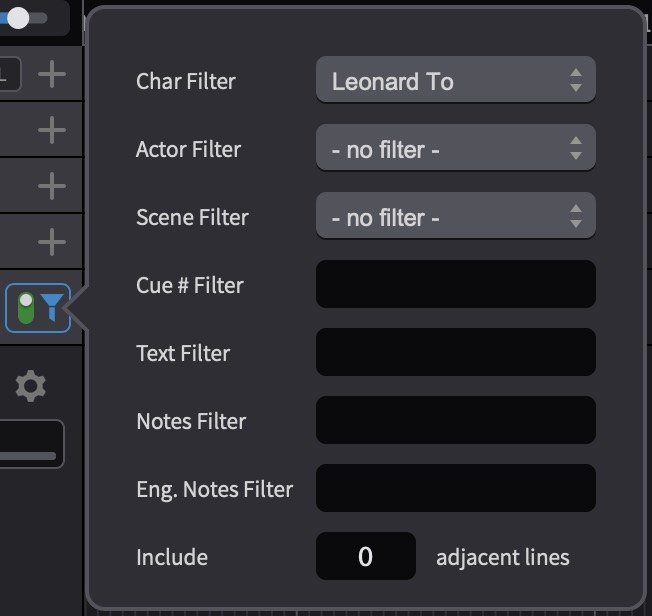
A new filter toggle button on the Characters header bar lets you temporarily disable all active filters without losing your settings - see every cue at a glance, then flip the filter back on to pick up where you left off.
Where to go from here
- See pricing and the Edit / Studio comparison on the Cue Pro 26 product page
- With Cue Pro 26, we're switching to a support plan-based model for perpetual licenses. Read the full support plan explainer
- Existing perpetual customers can find upgrade and crossgrade options on the My Licenses page in your account
- Contact us at support@non-lethal-applications.com with any questions