
We have just released Video Sync 6.3.4 and Cue Pro 26.11.1. The two highlights are the Elgato Stream Deck, with a new plug-in for Video Sync and a much bigger one for Cue Pro, and CueLink, which gets a new script view and more editing controls. Both apps also come with a number of smaller improvements.
Get Cue Pro 26 → | Get Video Sync 6 →
Stream Deck plug-ins
Both plug-ins come with profiles for every Stream Deck model, and their key icons reflect the current state of the app, including whether an action is available.
New: Stream Deck plug-in for Video Sync
Video Sync now has its own free Stream Deck plug-in with 41 actions for transport, sync, Markers and Streamers, overlays, display modes and windows. Audio and video track mute and solo keys show the track names of the open project, so one profile works for every project. On a Stream Deck + or + XL, dials control zoom, playhead position and track volume.
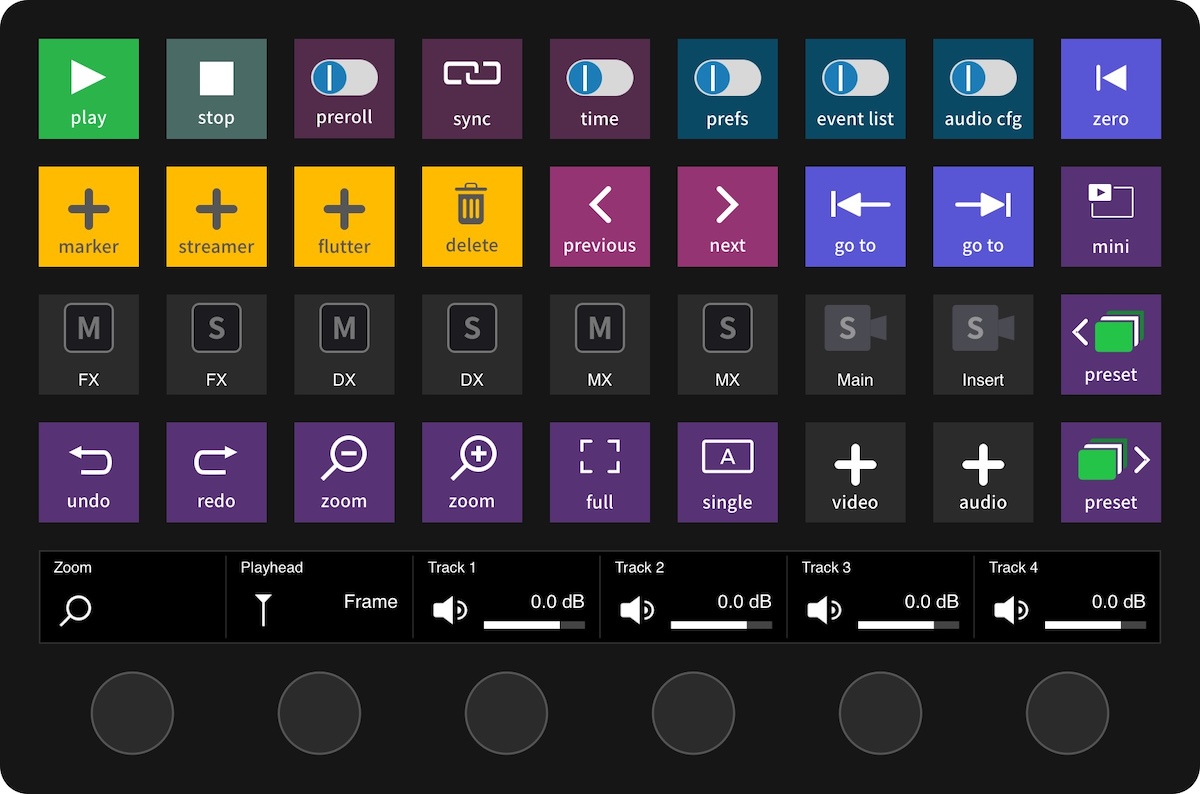
Setup and all actions are described in the knowledge base chapter Using Elgato Stream Deck with Video Sync.
Cue Pro plug-in: from 65 to 110 actions
The Cue Pro plug-in now includes every Video Sync action plus new Cue Pro ones, such as black screen and overlay toggles, overlay preset switching and Remove Anchors. The Record key shows the current Event Record Mode, and a long press switches to the next mode. On a Stream Deck + or + XL, two dials nudge the In and Out point of the selected event, and a tap switches to scrub trimming.
See Using Elgato Stream Deck with Cue Pro for the details.
Get the plug-ins: Video Sync Stream Deck plug-in and Cue Pro Stream Deck plug-in. Both are free, need the Stream Deck app 6.6 or later, and can be installed side by side.
New in Video Sync 6 and Cue Pro 26
Timeline and performance
Zoom to Fit Selection (Option+F on the Mac, Alt+F on Windows) zooms the timeline to the current selection, and a new Continuous scrolling mode keeps the playhead centered during playback. Both apps also launch faster, draw waveforms faster and play smoother on Blackmagic outputs at 50p and 60p.
New in Cue Pro 26
CueLink: script view and a better Timeline View
A new script view gives voice talents the whole script to read along, with adjustable text size and markup that can span several lines. The Timeline View adds scroll bars, a track height slider and a choice of Page, Continuous or no scrolling, and the list view scrolls much more smoothly by finger.
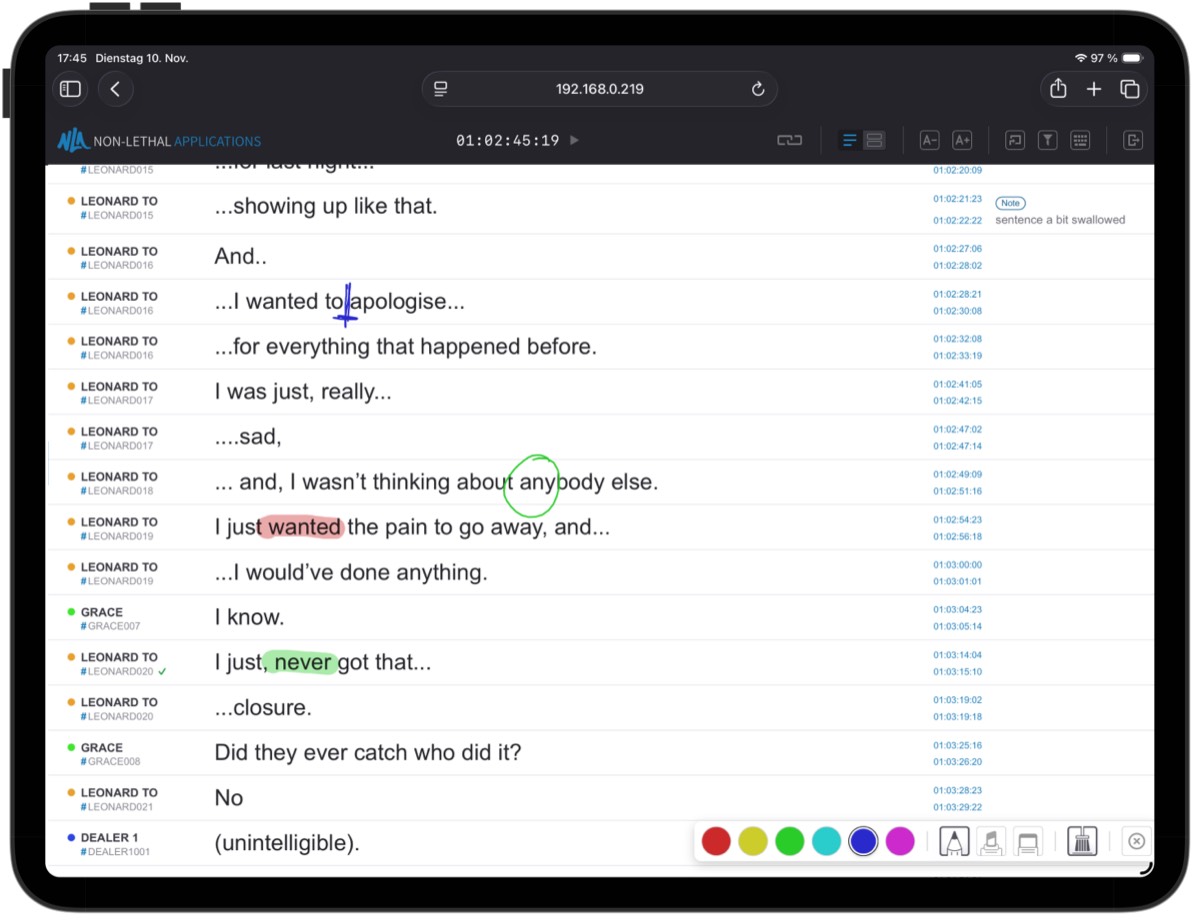
The new knowledge base chapter Accessing CueLink as a Viewer walks through the script view.
Rhythmo Bande
The band can now show shot changes, and new settings let you show the band between cues, play beeps during pre-roll and lift the band clear of the microphone.
More refinements
A new Dub Annotation field for ADR Cues, quicker character setup with name, actor, prefix and color right when you add a character, a Remove Anchors in Selection command, and many smaller improvements and fixes. The full release notes are in the in-app updater.
How to get it
If you have a Cue Pro 26 or Video Sync 6 license, perpetual or subscription, simply use the in-app updater (Check for Updates), or download the latest version from our website.
New to Cue Pro or Video Sync? Download the free 30-day demo to try everything, or pick a license on the Cue Pro 26 or Video Sync 6 product page.
Cue Pro 26 requires macOS 13.7 Ventura or later; Video Sync 6 runs on macOS 10.15 Catalina or later. Both are also available for Windows 10/11 (22H2 or later).
Where to go from here
- Visit the Cue Pro 26 product page
- Visit the Video Sync 6 product page
- Contact us at support@non-lethal-applications.com with any questions