
We have just released Cue Pro 26.10.1 and Video Sync 6.3.1. Both updates bring full support for macOS Golden Gate, from video playback and output to Pro Tools sync and network MIDI, along with new features, performance improvements and bug fixes.
Before you update macOS, please check that your other apps and your AJA or Blackmagic Design drivers support Golden Gate as well.
Get Cue Pro 26 → | Get Video Sync 6 →
New in Cue Pro 26
Loops
A new LOOPS track to hold your recording loops. Create a new loop with the L key, give it an ID and a colour, and jump to it by typing # and the loop ID in the Go To window. Loops also travel with your TTAL files.
Record any timeline range
Batch record mode can now rehearse, record and review a loop or any timeline range directly, without selecting an ADR Cue first.
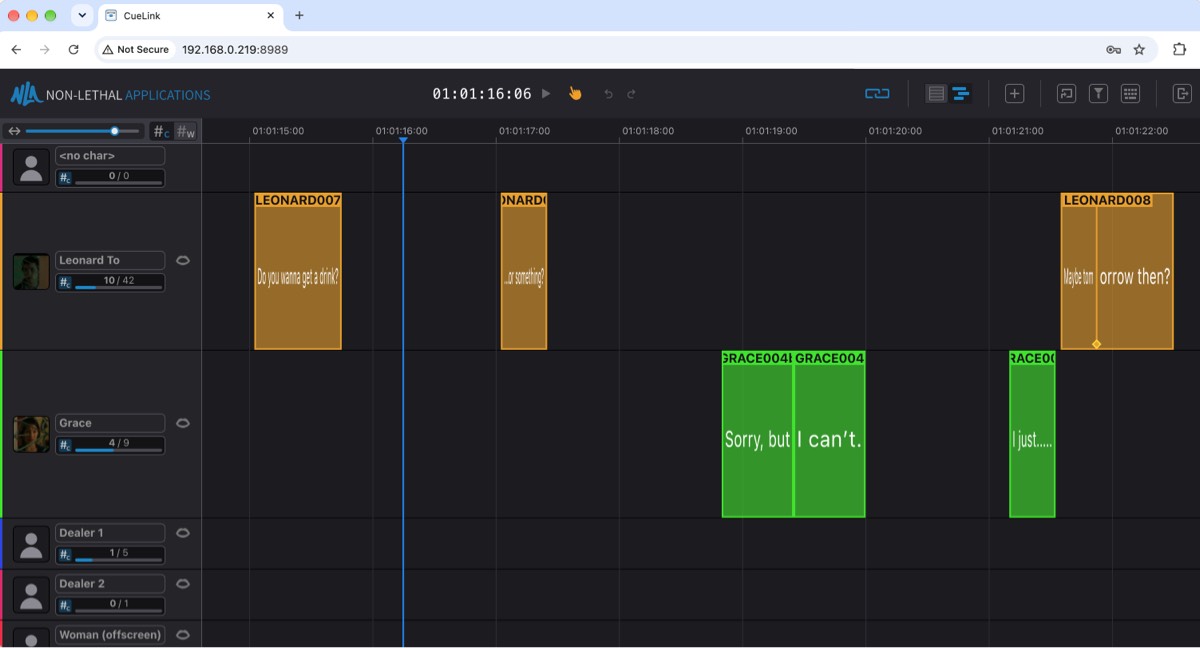
Edit in CueLink Timeline View
Editors can now move, retime, split, merge, create and delete ADR Cues and anchors right in the browser, and take over Playhead Control to drive the Pro Tools selection and playback from there.
More refinements
Improvements across Pro Tools Integrated Mode, timecode accuracy and fullscreen video. The full release notes are in the in-app updater.
How to get it
If you have a Cue Pro 26 or Video Sync 6 license, perpetual or subscription, simply use the in-app updater (Check for Updates), or download the latest version from our website.
New to Cue Pro or Video Sync? Download the free 30-day demo to try everything, or pick a license on the Cue Pro 26 or Video Sync 6 product page.
Cue Pro 26 requires macOS 13.7 Ventura or later; Video Sync 6 runs on macOS 10.15 Catalina or later. Both are also available for Windows 10/11 (22H2 or later).
Where to go from here
- Visit the Cue Pro 26 product page
- Visit the Video Sync 6 product page
- Contact us at support@non-lethal-applications.com with any questions